

The Language of Logs & Migration Best Practices
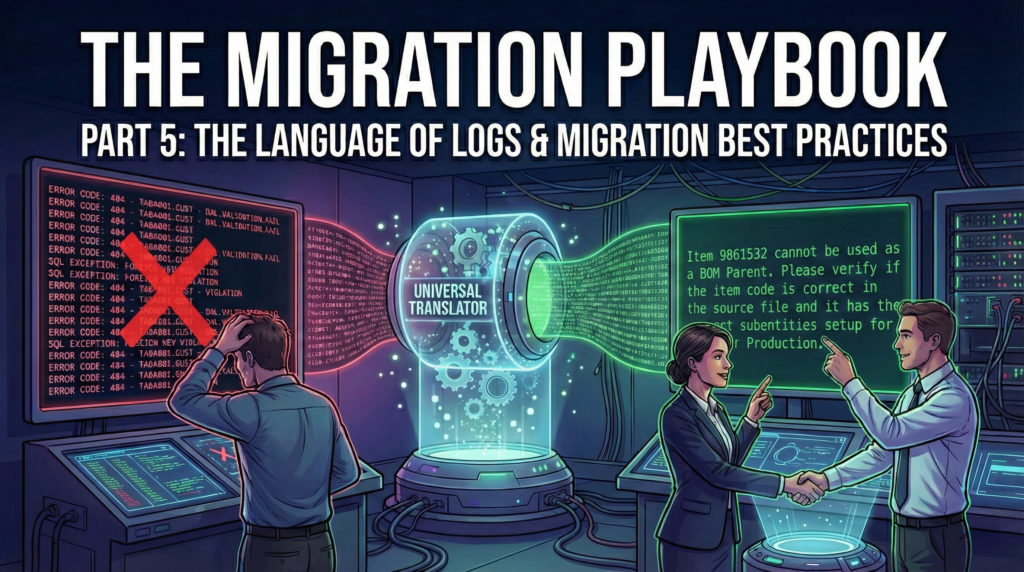
Part 5 of the 6-part series “The Migration Playbook”)
In Part 4, we drafted the Cutover Migration Plan, our minute-by-minute script for the go-live. However, a script becomes effective only when the actors have thoroughly rehearsed their lines.
If you arrive at the last week attempting your first full volume load, the probability of failure is extremely high. The errors will be too many, the stress too high, and the time too short to fix them.
In this article, we step back from the edge of the Go-Live to focus on the months of preparation that precede it. We explore the Iterative Loop of Dry Runs, the art of Humanizing Logs, and the rigid Naming Conventions that keep your project from descending into chaos.
The Iterative Loop: The Path to Perfection
Data migration operates as a circular cycle of failure and refinement, rather than a simple linear process (Extract -> Transform -> Load -> Done).
We perform these cycles in a dedicated Simulation Environment (TRN), which must be a mirror image of Production.
Run Loops:
- Run 1: we load the raw data and expect a high failure rate. It is normal. The system is rejecting everything that doesn’t fit the strict validation rules of the ERP.
- Analysis & Correction: we address the root cause in the source files (or the transformation logic) whenever possible, instead of applying manual fixes directly in Infor LN.
- Run 2: we reload. Now the failure rate drops significantly. These are the subtle logic errors (e.g., Item A belongs to a Sales Group that doesn’t exist).
- Run 3: we reach near-perfection. Now, the Key User enters the system. Beyond simply counting rows, they attempt to ship the item and invoice the customer.
- Run N: we repeat until the process is boring. A boring migration is a successful one.
Strategic Value: first, this rigorously tracks frequent error types, building a schema of expected errors so we are not caught off guard. Second, and perhaps more importantly,these runs are the best opportunity to build confidence; not just in the data, but between teams. Data migration is a technical act, but it rests on a foundation of people who need to correct, verify, and trust one another.
Without this mutual trust, no migration script can save you. When Key Users see their feedback applied and errors resolved in subsequent runs, the “us vs. them” barrier dissolves, replaced by a unified team ready for Go-Live.
The Language of Logs: Humanizing the Error
When Infor LN rejects a record, it speaks in technical references.
- Example: Reference does not exist: tibom3109001.cmbb->tibom3009001.cmba [‘WS0001’ ‘ 9861532’ ‘012’ ‘000002’]
Sending this raw log to a Production Manager is ineffective. They have no idea what tibom310 or cmba means. As a Consultant, your job is to act as the Translator.
The Translation Matrix
You must transform cryptic database errors into actionable business tasks, offering the most probable root causes.
- Raw Log: Reference does not exist: tibom3109001.cmbb->tibom3009001.cmba [‘WS0001’ ‘ 9861532’ ‘012’ ‘000002’]
- Consultant’s Analysis: this log indicates that the main item (parent) of the Bill of Material you are trying to import is invalid. There can be two primary reasons for this: The item literally does not exist in the Item Master. The item exists, but it lacks the specific sub-entity settings required to be considered a Production item.
- Translated Action: Item 9861532 cannot be used as a BOM Parent. Please verify if the item code is correct in the source file, and ensure that it has the correct subentities setup for Production.
Best Practice: Process the raw text file from before sending it to the client. Import it into Excel, filter out the technical noise (the “False Positives” we discussed in Part 3), add a column with clear instructions in natural language, and then send it to the data owner.
Naming Conventions: Organizing the Chaos
By the third month of the project, you will have hundreds of files. Naming files haphazardly (e.g., Items_Final.csv, Items_Final_v2.csv) invites errors and confusion. On Go-Live Run, precision is mandatory.
You need a rigid Naming Convention.
Every file must follow a strict syntax: [Object]_[Environment]_[BatchID]_[Date]_[Status]
- Object: What is inside? (e.g., ItemMaster, SalesOrder).
- Environment: Where is it going? (TRN, PRD).
- BatchID: Matches the Task ID in your Cutover Plan (e.g., 10A).
- Date: ISO Format (YYYYMMDD).
- Status: Original (Untouched source), Input (Transformed for upload), Log (Result/Errors).
Example:
- Original File: ItemMaster_PRD_10A_20251101_Original (the clean file received from the client, before any manipulation).
- Input File: ItemMaster_PRD_10A_20251101_Input (the file actually processed).
- Log File: ItemMaster_PRD_10A_20251101_Log (the output containing errors and processing details).
Folder Hierarchy
Use a shared repository with a locked folder structure to maintain order:
- 01_Source_Received (Immutable originals from client).
- 02_Ready_For_Upload (Validated files, waiting for the green light).
- 03_Archive_Processed (Files successfully loaded).
- 99_Errors_Logs (Where the bad news lives).
The Dry Run Sign-Off
Before we execute the Cutover Plan in Production, we perform a Full Dry Run in the Test Environment. This is a dress rehearsal. We time every step.
- The Strategic Buffer: if loading Sales Orders took exactly 4 hours in the Dry Run, we never allocate exactly 4 hours in the Cutover Plan. We systematically inject a time buffer to absorb any unforeseen friction (network latency, a locked database table, or a last-minute data tweak) ensuring a single hiccup doesn’t derail the entire Go-Live sequence.
- If something crashes: we analyze and fix the failure immediately.
The Dry Run ends with a formal Sign-Off. The Key Users must confirm: “We have tested the migrated data in TRN, and we authorize the move to PRD.” This signature mitigates risk, ensuring the Go-Live is a calculated deployment.
Why this is mandatory
This requirement aligns directly with global standards for compliance and risk management.
- Auditing Compliance (SOX/ITGC): For any company subject to audits (Sarbanes-Oxley or similar), Data Migration is a critical control point. External auditors (like the Big 4) require evidence of UAT (User Acceptance Testing) sign-off before financial data impacts the General Ledger. Without this signature, you fail the IT General Controls (ITGC) audit. Reference: ISACA – IS Audit Basics: Audit Programs
- Project Management Standard (PMBOK): According to the Project Management Institute (PMI), “Validate Scope” is a formal process that requires written acceptance of deliverables (the data) by the stakeholders to close the project phase. Reference: PMI Community – Validate Scope Process
- Vendor Methodology: The official Infor Deployment Method explicitly requires a “Go/No-Go Decision” phase grounded in successful testing in a simulation environment.
Now, we have tested until the process is boring. We have organized our files so well that even a stranger could run the migration. We have translated the machine’s errors into human actions.
We are ready. The system is live. The users are logging in. But the project isn’t over. In fact, the hardest 72 hours are just beginning. In the final part of this series, we will discuss Validation & Hypercare. We will talk about proving the value to the CFO and managing the inevitable War Room situations.
Written by Andrea Guaccio
April 9 2026