

Generative BI: Talking to Your Data
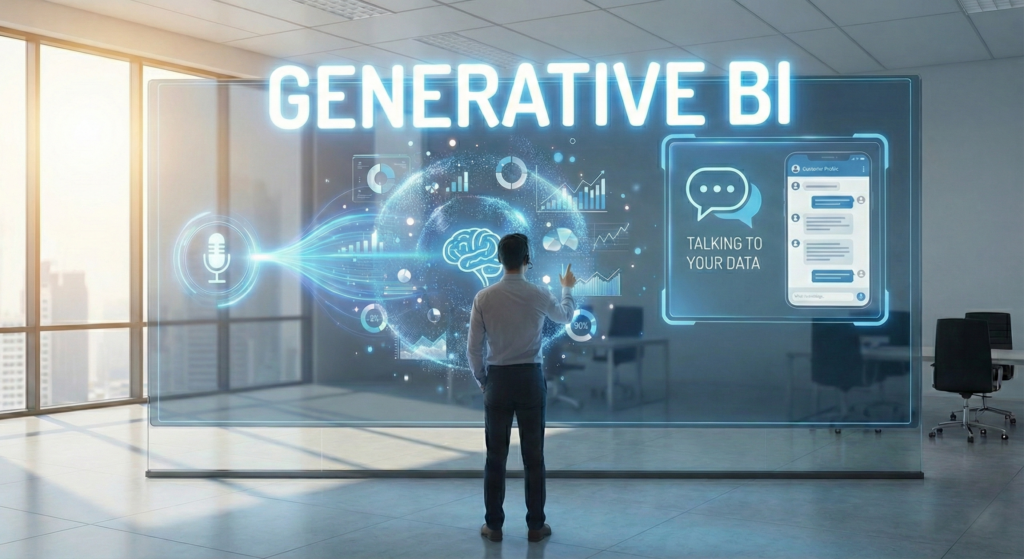
(Part 2 of the series: The ERP Intelligence Evolution: From Data to Agents)
In Part 1, we defined the taxonomy.
We established that GenAI is the “Assistant” that understands context. But before this assistant can start doing things (like the future Agentic AI), it must first master a simpler, yet revolutionary skill: answering questions about your data.
To build the necessary foundation for the autonomous agents of the future, we first need to fix a broken interface: the user experience of data.
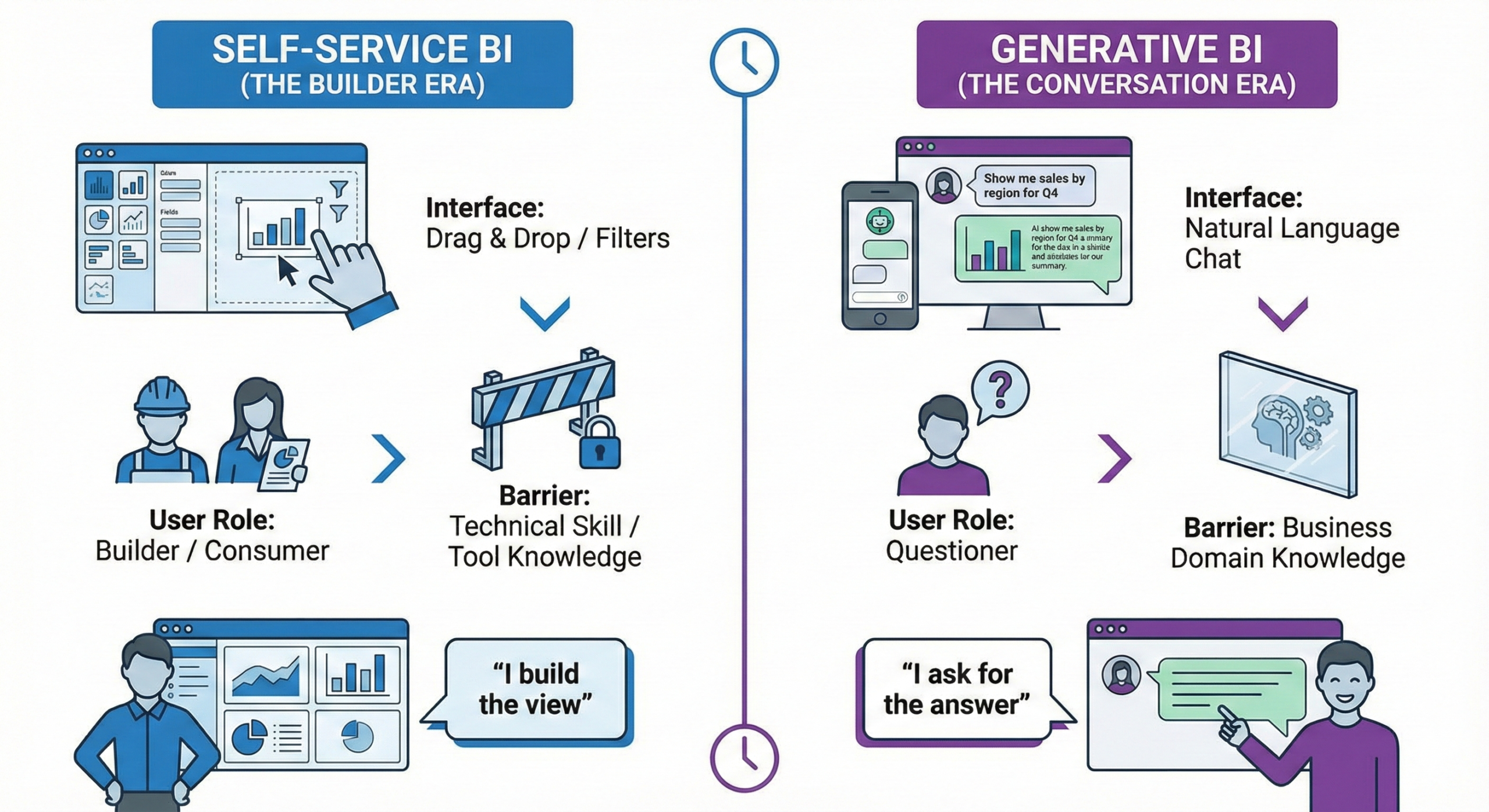
The standard interface for ERP data is the Dashboard. While modern BI tools are powerful, they often create a gap between the Creator (who builds the report) and the Consumer (who reads it). If a CEO asks, “Why is margin down in Italy?”, the dashboard shows the number. To find the root cause, the user often has to filter, drill down, or—if the specific breakdown wasn’t pre-built—ask an analyst to create a new view.
Generative BI (GenBI) bridges this gap. It shifts the paradigm from configuring reports to conversing with live data.
The Limitations of Static BI
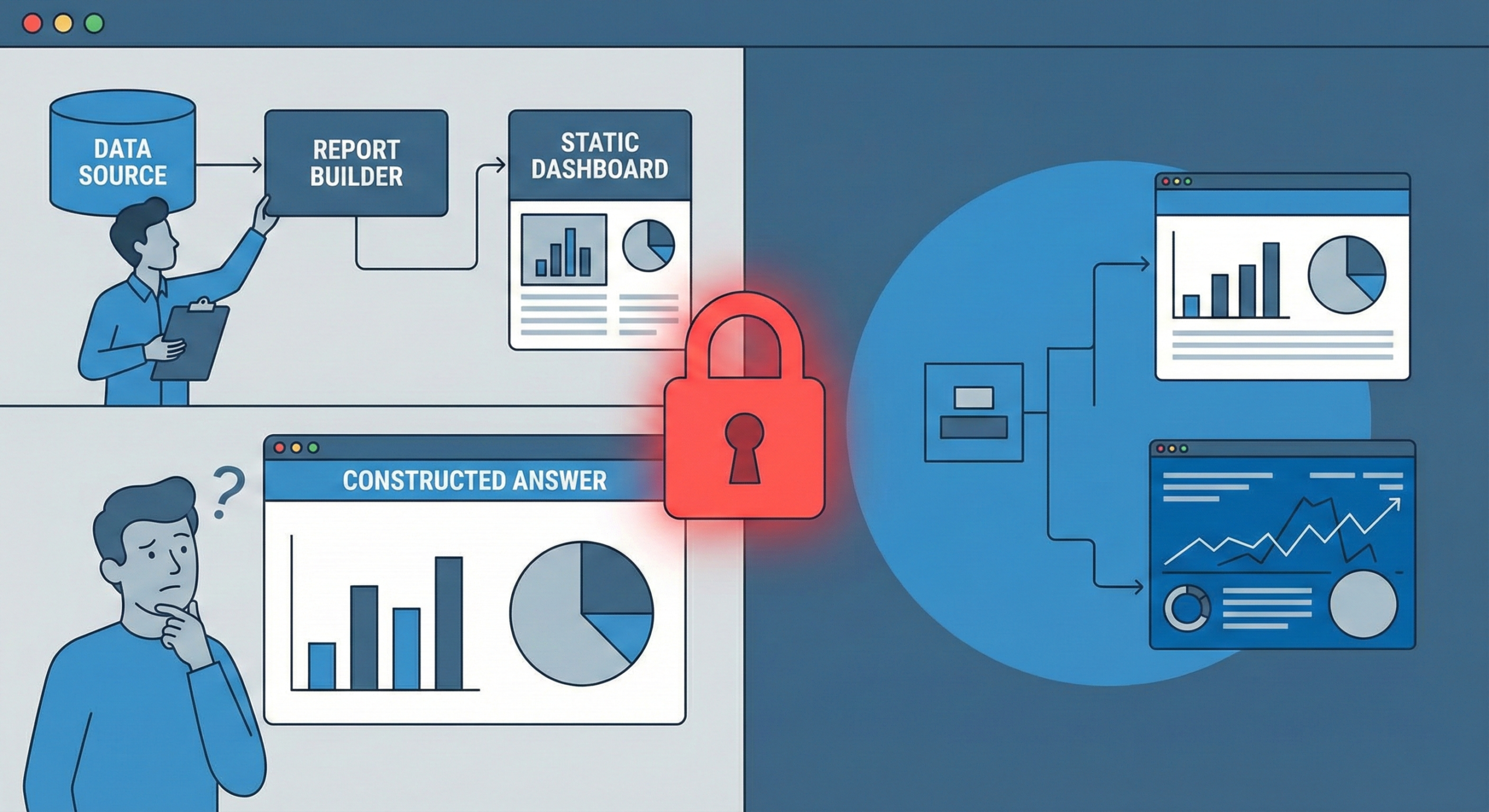
Traditional Business Intelligence relies on a “Constructed Answer” model:
- The Analyst anticipates business questions (e.g., “Sales by Region”).
- They build a report or pivot table.
- The User consumes it.
The Constraint: While Power Users can modify these reports, business users often lack the time or technical confidence to do so. When they have a question that isn’t covered by the existing filters—“Show me sales by Region, but exclude the discontinued items from Q3”—the flow stops. They are dependent on the report’s design.
The “Text-to-SQL” Revolution
GenBI allows any user to query data using natural language, replacing the need for drag-and-drop skills with a chat bar. This relies on a specific AI architecture known as Text-to-SQL.
When using a GenBI interface (like Wren AI or the natural language query features in Infor OS), the workflow changes:
- The Prompt: User asks, “Show me open Purchase Orders for vendor ‘SteelCorp’ delayed by more than 5 days.”
- The Translation (LLM): The Large Language Model parses the request.
- The Semantic Layer (The Key): The AI references a “Semantic Layer” (a business glossary mapping terms to database tables). It understands that “Vendor” refers to tccom100 and “Delayed” means checking the Planned Receipt Date against Today.
- The Execution: It generates a precise SQL query, runs it against the Data Lake, and returns the live result.
Why the “Semantic Layer” Matters: Without a Semantic Layer (like the Data Fabric in Infor OS), GenBI cannot function reliably. If the AI doesn’t know specifically how the ERP defines “Gross Margin” or “On-Time Delivery”, it will generate incorrect queries. The technology is only as good as the data definitions underneath.
From “Search” to “Navigation”
The goal of GenBI in an ERP context is to shorten the time to insight. Consider the difference in the daily workflow:
The Standard Way: You see a red KPI. You navigate to the menu. You open the Sales Order session. You filter by date. You filter by status. You find the order. Finally, you open it.
The GenBI Way:
- Ask: “Show me the 5 critical orders blocked by credit check.”
- View: The system instantly returns the precise list of Order IDs.
- Navigate: You copy the ID (or click the deep link) and go straight to the specific session to unblock it.
The Shift: You haven’t automated the action (yet), but you have completely removed the investigation time required to find what needs attention.
Watch: See how Text-to-SQL interfaces work in practice:
The Rise of Text-to-SQL Tools
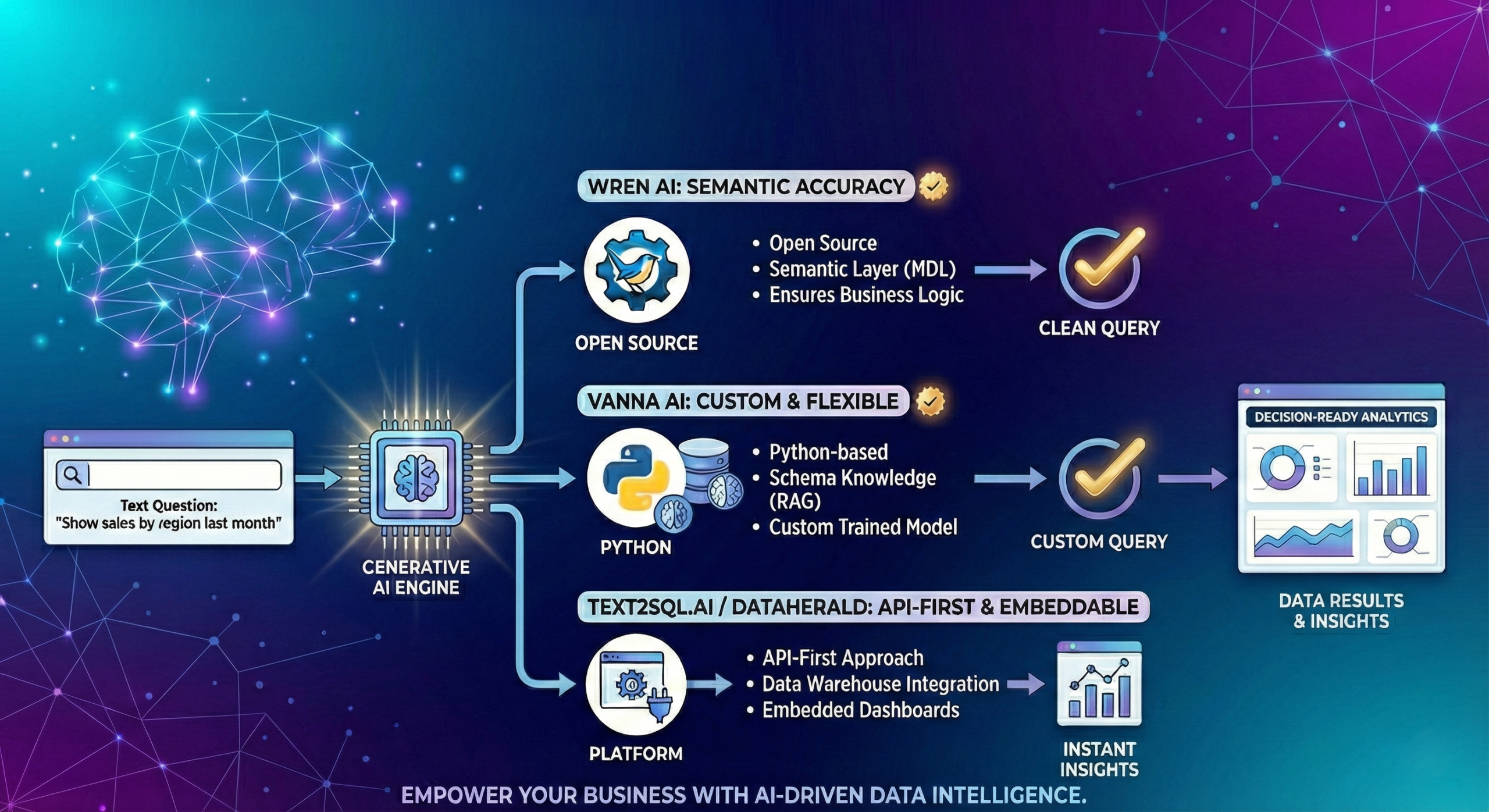
This shift isn’t just happening in one ecosystem. We are seeing an exponential rise in tools dedicated to solving the “Chat with Database” problem.
Here are a few key players reshaping this space:
- Wren AI: An open-source semantic engine that focuses on accuracy. It shines by using a “Modeling Definition Language” (MDL) to create that crucial semantic layer we discussed, ensuring the AI understands business logic, not just table names.
- Vanna AI: A Python-based open-source library that allows developers to train a model specifically on their database schema (using RAG). It is highly flexible for building custom internal tools.
- Text2SQL.ai / Dataherald: Specialized platforms often focused on data warehousing contexts, offering “API-first” approaches to embed natural language queries into existing dashboards.
The Difference: While tools like Vanna are libraries for developers to build custom solutions, platforms like Wren AI aim to be full GenBI interfaces ready for business users. In the Infor world, these capabilities are being absorbed directly into the OS platform, but the underlying logic remains the same.
The Reality Check
While the technology exists, implementing GenBI in a complex manufacturing ERP is harder than in a simple CRM.
- Complexity: Infor LN has thousands of tables. The AI needs a massive contextual memory to understand these relationships.
- Trust: If the AI reports “Inventory Value is $5M”, and the Finance report says “$5.2M”, user trust evaporates immediately.
GenBI is the training ground for the future. Before handing over the keys to Agentic AI (discussed in Part 3), we must trust the system to correctly interpret the data. If it can’t answer a question correctly, it certainly cannot be trusted to execute a task autonomously.
Next Up: we will analyze the “Agent Delusion”—exploring why the hype of fully autonomous agents often clashes with the rigid reality of ERP transactions, requiring a serious “Human in the Loop” strategy.
Written by Andrea Guaccio
December 22, 2025