

p2-i Widgets for Infor LNCE: A Guide to Actionable ERP Data
In today’s fast-paced industrial landscape, accessing real-time ERP data is a primary challenge. Critical information is often contained in static reports, making it difficult to access quickly. By the time a report is run, exported to Excel, and analyzed, the situation on the shop floor or in the warehouse may have already changed.
For operations managers, their teams need insights that are not only real-time, but also delivered precisely where and when they are needed. This is where p2-i Widgets for Infor LNCE provide an effective, agile solution, addressing the “last mile” of data delivery that standard BI projects can miss.
What is the p2-i Widget Framework for Infor LNCE?
At its core, a widget is a focused application that runs directly within the Infor LNCE workspace. It presents key information in a smart, efficient format like KPIs, dynamic charts, or filtered lists. Unlike a full BI dashboard, which often provides a high-level strategic overview, widgets are designed for tactical, immediate action.
The p2-i framework is built upon the standard Infor framework, making it inherently secure, upgrade-proof, and Cloud Ready. p2-i has expanded these standard capabilities to offer two distinct paths for widget deployment:
- A configurable, read-only widget that IT departments can manage.
- A full custom-development framework for sophisticated, two-way widget solutions developed by p2-i.
Below, we explore these solutions.
p2-i Dynamic Query Widget
This is the ideal solution for rapidly deploying read-only KPIs, charts, and lists that rely on Data Lake information. p2-i offers this specific, configurable tool designed for a company’s IT department.
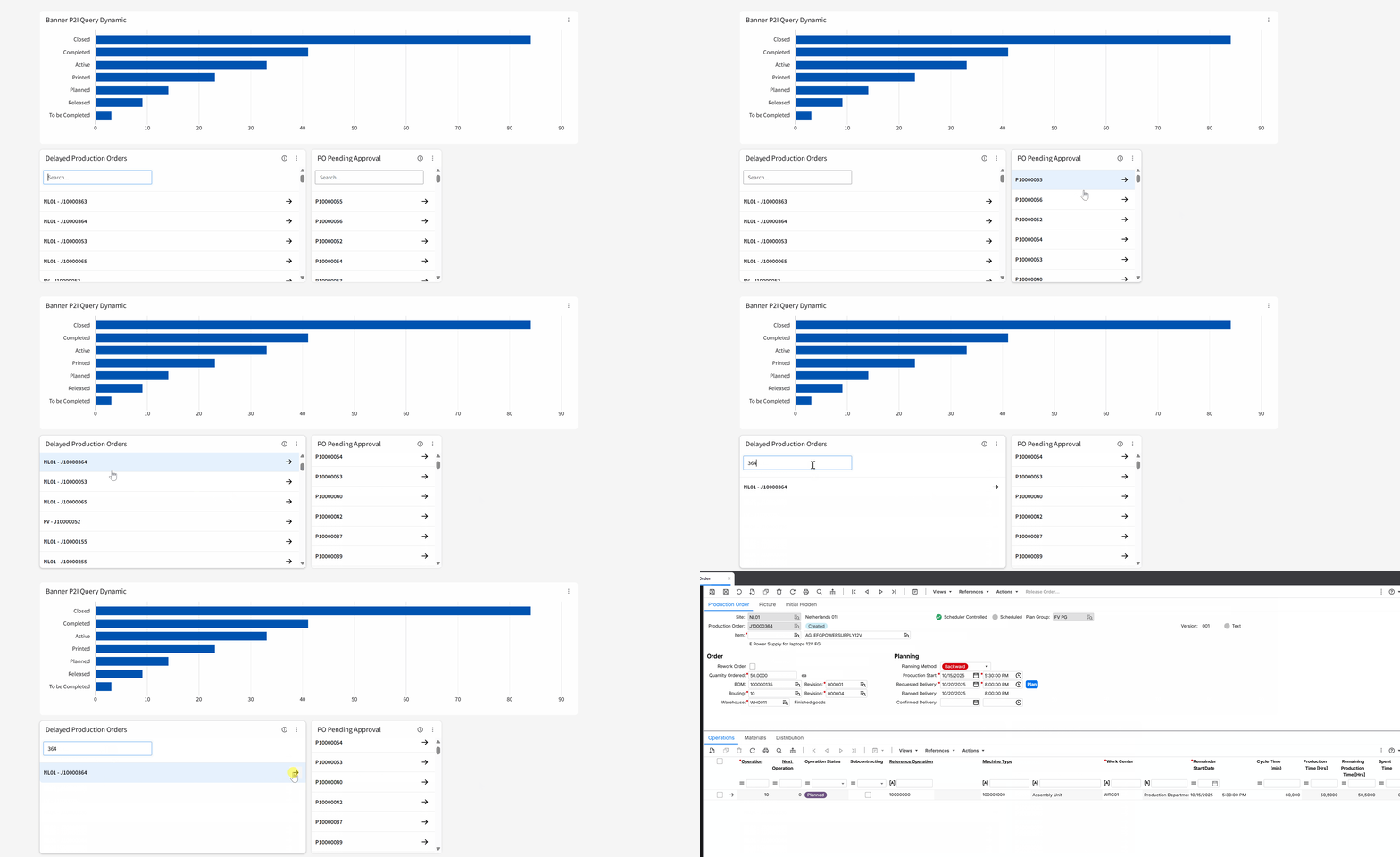
>This “p2-i Dynamic Query Widget” allows IT teams (without developer resources) to use standard SQL queries to retrieve and display information from Infor Data Lake.
A key feature is its configurable drillback capability: IT department can define an action for when a user clicks a record, such as automatically opening the relevant Infor LN session to see the full detail (e.g., clicking a PO number to open the PO session). The most common application for this widget is on the Homepage, where it acts as a personal “command center” the moment a user logs into Infor LNCE.
p2-i Custom Widget Framework
For more advanced requirements, p2-i utilizes its full Custom Widget Framework. These are the sophisticated, custom-built solutions that are developed by p2-i to offer two-way communication with any system:
- Pull Data: custom widgets can pull information from any source simultaneously—Infor LN tables (via API), the Infor Data Lake, external SQL databases or even Excel files.
- Push Actions: The framework can also send messages, trigger workflows, or initiate navigation (drillback).
This allows a widget to update data directly back into LN or communicate outbound with other applications (like MES, WMS, or CRM). The following are examples of this custom framework in action.
In-Context Widget
A significant drain on user efficiency is context-switching—forcing a user to leave their current task (e.g., a Sales Order) to search for related information (e.g., customer credit status) in a different session. The p2-i In-Context Widget is designed to solve this issue. It lives in the side panel of any LN session and dynamically updates based on the record being viewed. For example, when a user selects a Business Partner, the widget can instantly show that partner’s specific data—be it a custom vendor rating, delivery performance, or open invoices.
It leverages Infor OS context messages to capture the selected record, queries the necessary data via API, and renders the results in seconds. The user never has to leave the screen. The video below demonstrates how the p2-i In-Context Widget can reduce screen-hopping and provide immediate, actionable insights exactly where teams need them most.
Split-View Widget
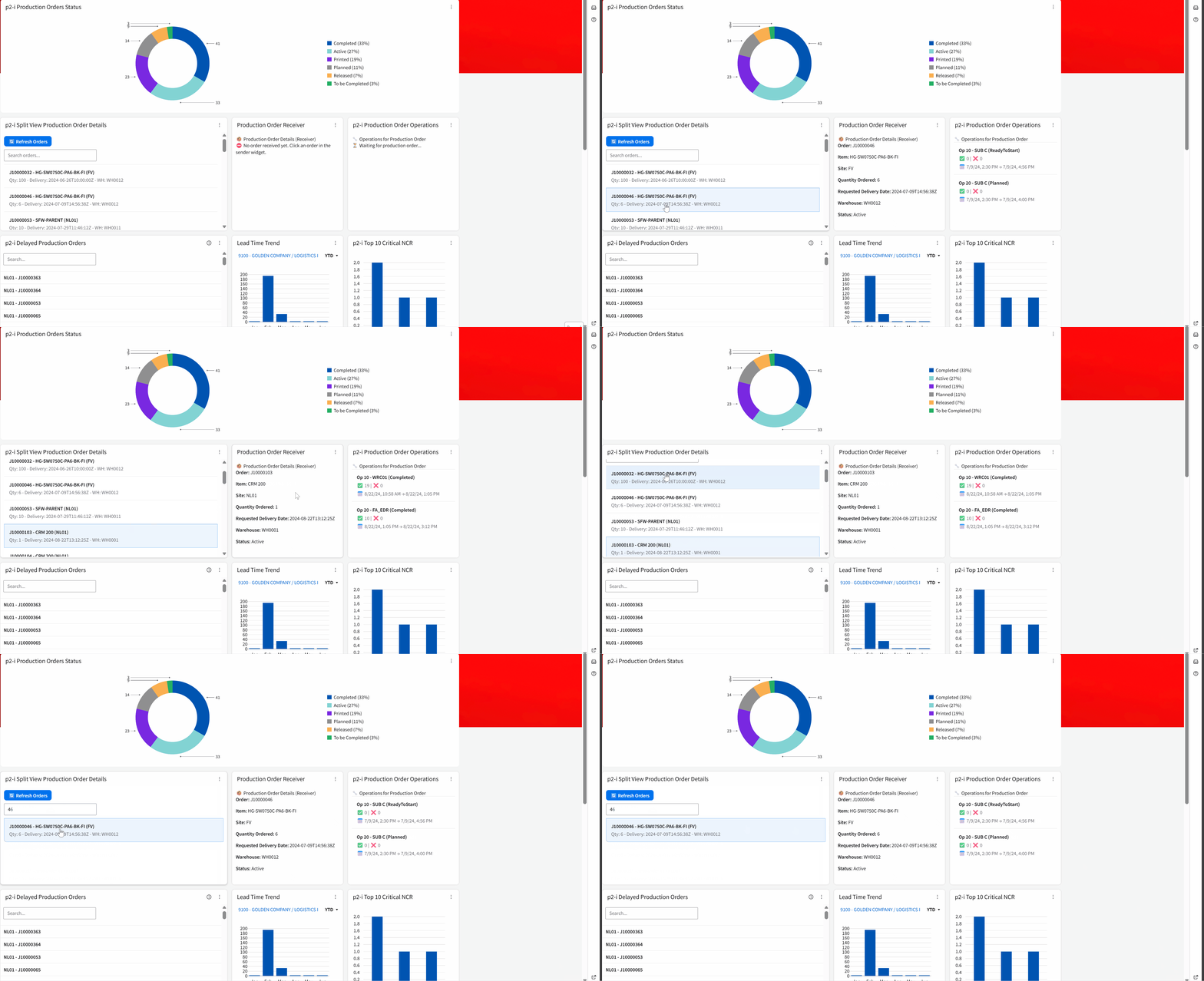
Sometimes, users need to compare data within a single workflow. The p2-i Split-View Widget presents two (or more) related panels that interact with each other, providing a powerful analytical view without leaving the session. A good example is for production management: the “Split-View” can be configured to show:
- Panel 1: A filterable list of all active Production Orders.
- Panel 2 & 3: A dynamic list that updates to show the completion percentage (material issued, hours booked, etc.) for the specific order selected in Panel 1.
Scan & Track Widget
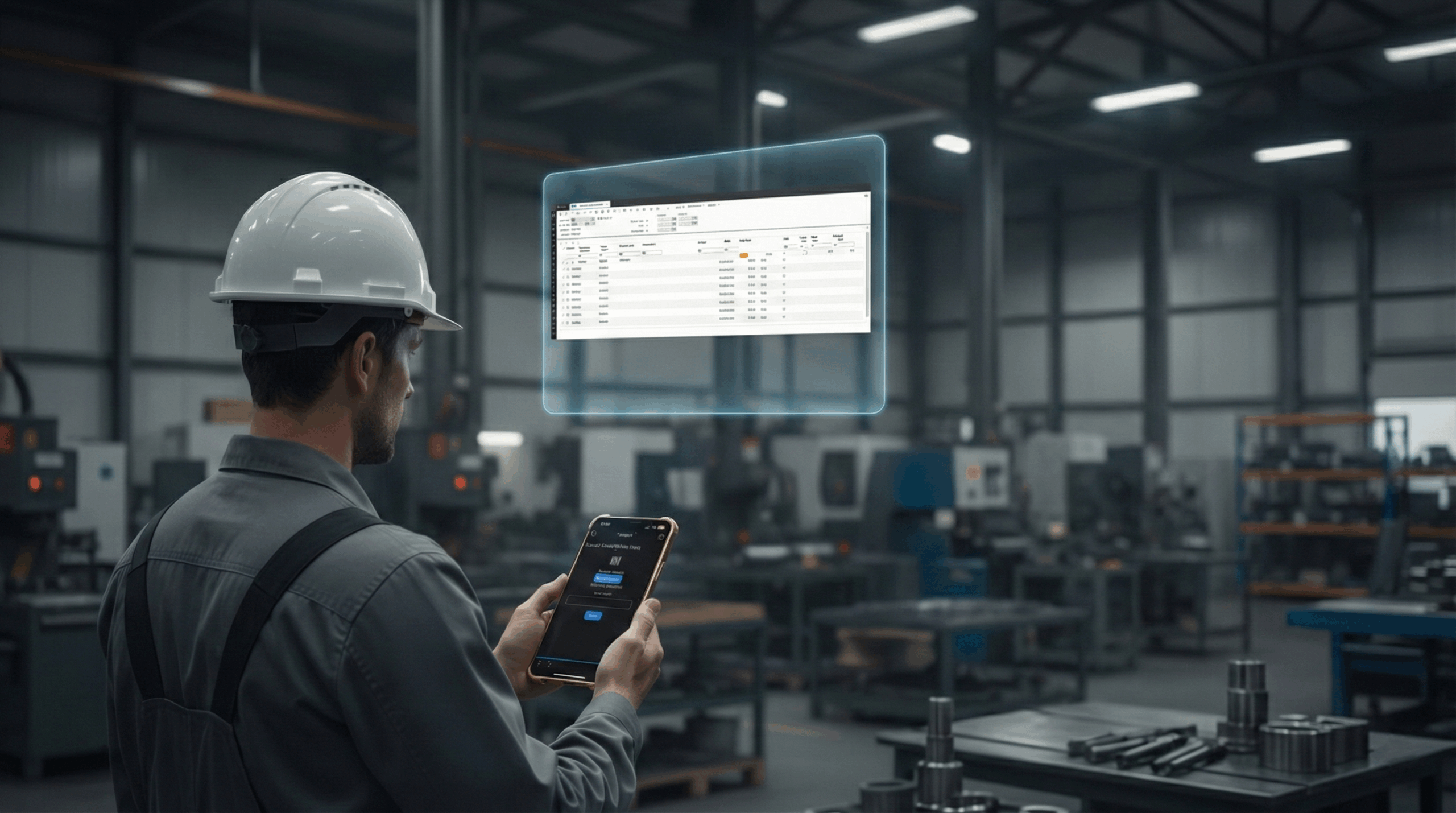
The p2-i Scan & Track Widget fully integrates Infor Go with operations, turning it into a two-way communication tool. Read Data: Using an Android / IOS mobile device, users can scan a barcode (for an item, handling unit, or production order) and the widget can instantly provide all relevant contextual information. This query allows the widget to determine what kind of barcode was scanned and show its real-time status, such as “Received” or “Installed.”
Write Data: this framework goes beyond just reading since it allows users to send information back to LN in real-time. After a scan, the widget can launch actions or update data.
For example, an employee can scan their badge to clock hours directly into production, or a warehouse operator can perform inventory counts by scanning items and submitting quantities, updating LN instantly. This closes the loop between the physical warehouse or shop floor and the digital ERP, eliminating manual entry errors and providing total traceability.
Widgets vs. BI: Choosing the Right Tool for the Job
How does the p2-i Widget Framework differ from a traditional Business Intelligence (BI) solution? Both are essential for a data-driven enterprise, but they serve different purposes and answer different questions. Business Intelligence (BI) is for Strategic Analysis: A BI solution is designed for “look-back” analysis and strategic planning. It excels at aggregating massive historical datasets to help managers and analysts answer complex, high-level questions, such as:
- “What were our sales trends by region over the last three years?”
- “Why did our overall material costs increase last quarter?”
- “Which product lines are the most profitable over time?”
p2-i Widgets are for Tactical Action: Widgets are designed for “in-the-moment” execution and tactical decisions. They provide real-time, transactional data directly at the point of work, inside the user’s ERP session. A widget answers the immediate questions an operator or buyer needs to do their job:
-
“What is the Vendor Rating score for the Business Partner I am currently negotiating with?”
-
“What are the current Kanban buffer levels for the specific Item Family ‘X001’?”
-
“Which Production Orders are currently delayed specifically due to material shortages?”
In short, use BI when you need to build your strategy; use widgets where you need help to execute it.
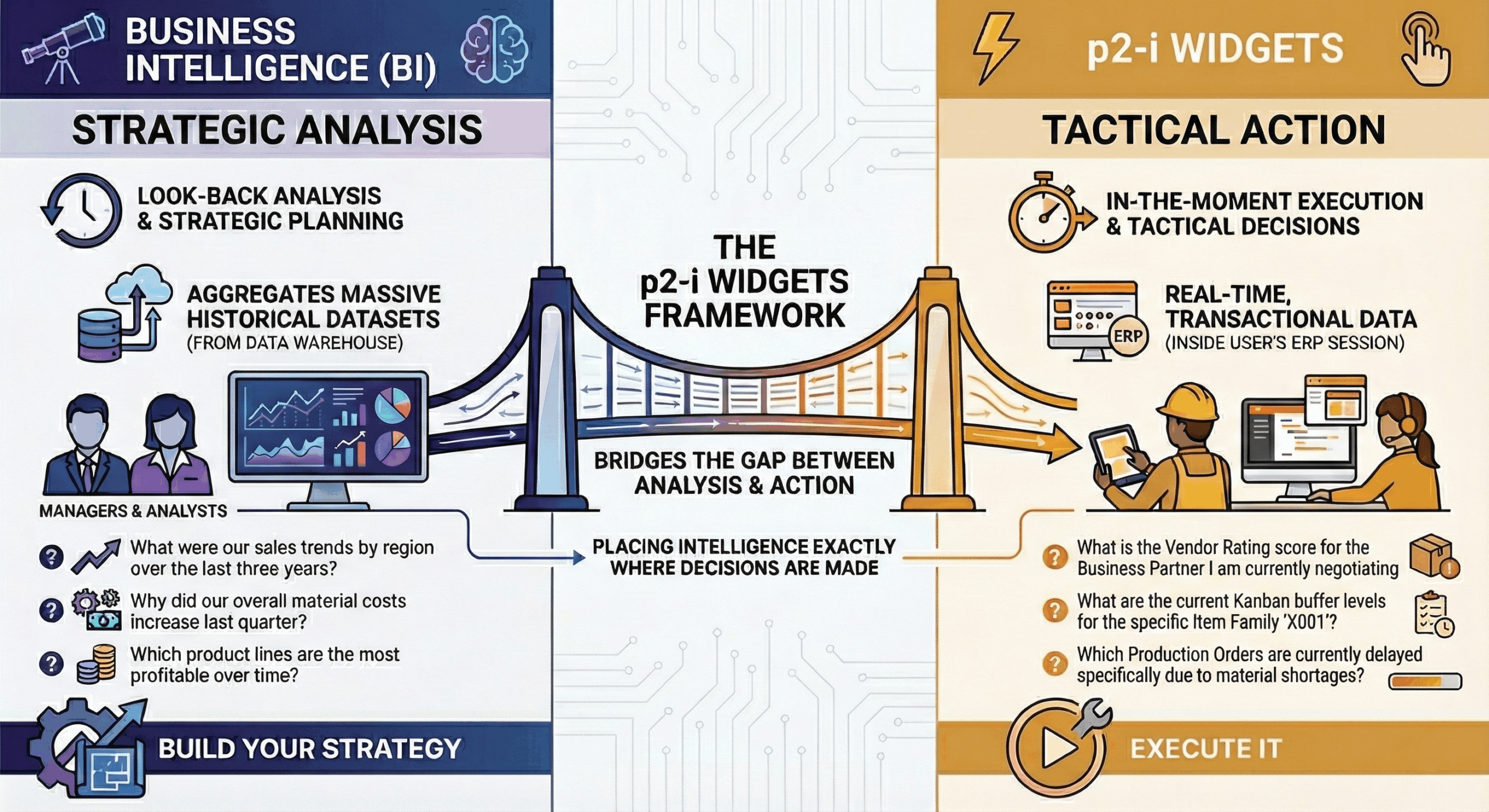
The p2-i Widgets Framework bridges the gap between analysis and action, placing intelligence exactly where decisions are made. By bringing the right data to the right user at the right time, every user can become more efficient and every process more robust.
Written by Andrea Guaccio
November 27, 2025